MarÉe
Case Study: Marée Preorder Experience
The Hook: How I designed a mobile ordering experience that helped a local seafood business plan inventory around customer demand while giving senior customers the confidence to order online.
The TL;DR

The Challenge: A local seafood vendor relied on inventory estimates before each market day, often purchasing too much or too little seafood. The challenge was to create an ordering experience that supported accurate inventory planning while helping longtime customers transition to online ordering.

The Strategy: I designed the experience around the owner's existing business workflow, preserving Stripe for payment processing while introducing a weekly ordering cycle that aligned inventory planning with customer demand. The experience was intentionally designed to help customers transition smoothly from purchasing at the market to ordering online.

The Outcome: The final design balanced business operations with customer confidence, giving the owner a more predictable way to plan inventory while making online ordering approachable for senior customers.
Quick Facts

Role: End-to-end UX/UI Design

Timeline: 4 weeks

Platform: Mobile-first

Audience: Senior customers & business owner

Industry: Seafood Retail
My Process
Marée (French for tide) is a beloved local seafood vendor with deep Gullah-Geechee roots operating out of a bustling weekend flea market. The vendor and her customers are largely seniors who shop at the flea market every Saturday.
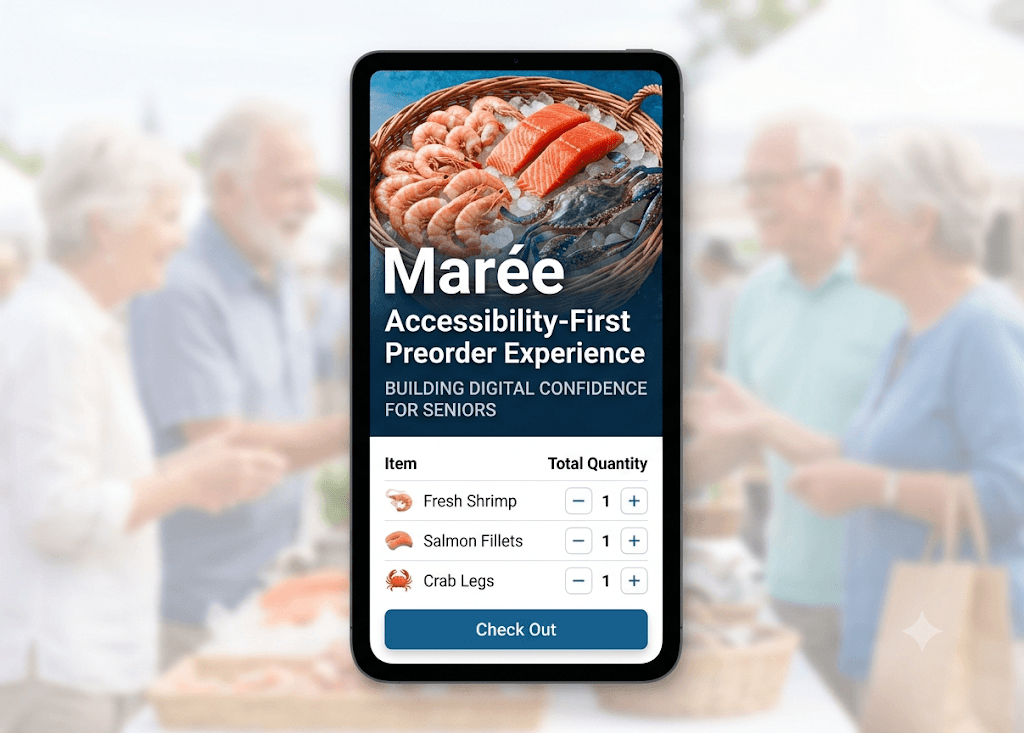
Relying completely on manual inventory guesswork led to severe supply waste on slow weeks and lost revenue from early sell-outs on busy market days—directly impacting both her business margins and her tight-knit community of loyal, senior customers who value their weekly market routines.
As the UX Designer, my role was to design an end-to-end preorder experience that reduced inventory uncertainty without making the technology feel overwhelming for the people using it.
What I designed
Research insights
End-to-end preorder flow
Inventory management logic
Mobile-first checkout experience
Accessibility consideration
How might we design an online ordering experience that supports both business goals and customer confidence?
The Design Process

Rather than changing how the owner ran her business, I designed the ordering cycle around her existing Friday purchasing schedule. Customers placed orders before inventory was purchased, allowing seafood to be bought based on actual demand instead of estimates. Stripe was retained to preserve the owner's existing payment workflow. Together, these decisions reduced waste, improved inventory planning, and streamlined market day operations.
Designing the Weekly Ordering Cycle

What I learned: Understanding the owner's existing workflow revealed that the solution wasn't to redesign the business—it was to design around it. By working with the established process instead of replacing it, the experience supported both operational efficiency and customer needs.
Designing for Customer Confidence
Once the business workflow was established, I shifted my focus to the customer experience. The customers were accustomed to purchasing seafood in person, so the interface needed to make online ordering feel simple, familiar, and trustworthy. Each interaction was designed to guide customers through a new weekly ordering process with confidence.

A Familiar Checkout Experience
Stripe was retained to preserve the owner's existing payment workflow while giving customers a familiar, trusted checkout experience. Using a recognizable payment interface helped reinforce confidence at checkout.

Welcoming Customers to a New Experience
Customers were accustomed to purchasing seafood at the market. A simple welcome screen introduced the weekly ordering process, set expectations, and helped customers feel confident before placing their first online order.

Simplifying Product Selection
The product selection experience focused on one decision at a time. Large images, clear quantity controls, and a simple layout reduced cognitive load and made ordering feel approachable.

Building Confidence Before Checkout
Before submitting an order, customers could review their selections and make changes if needed. This extra step reduced uncertainty and gave customers confidence before completing their purchase.


Reassuring Customers After Ordering
A clear confirmation screen reassured customers that their order had been received and reminded them when to pick it up. Providing immediate feedback helped reduce uncertainty after checkout.


What I Learned: Designing for confidence meant supporting customers at every stage of their journey. Clear guidance, familiar interactions, and timely feedback helped make a new ordering process feel simple and approachable.
Once ordering closed, the admin portal transformed customer orders into a consolidated wholesale order for Friday's seafood pickup. This streamlined inventory planning and removed the need for manual estimates.
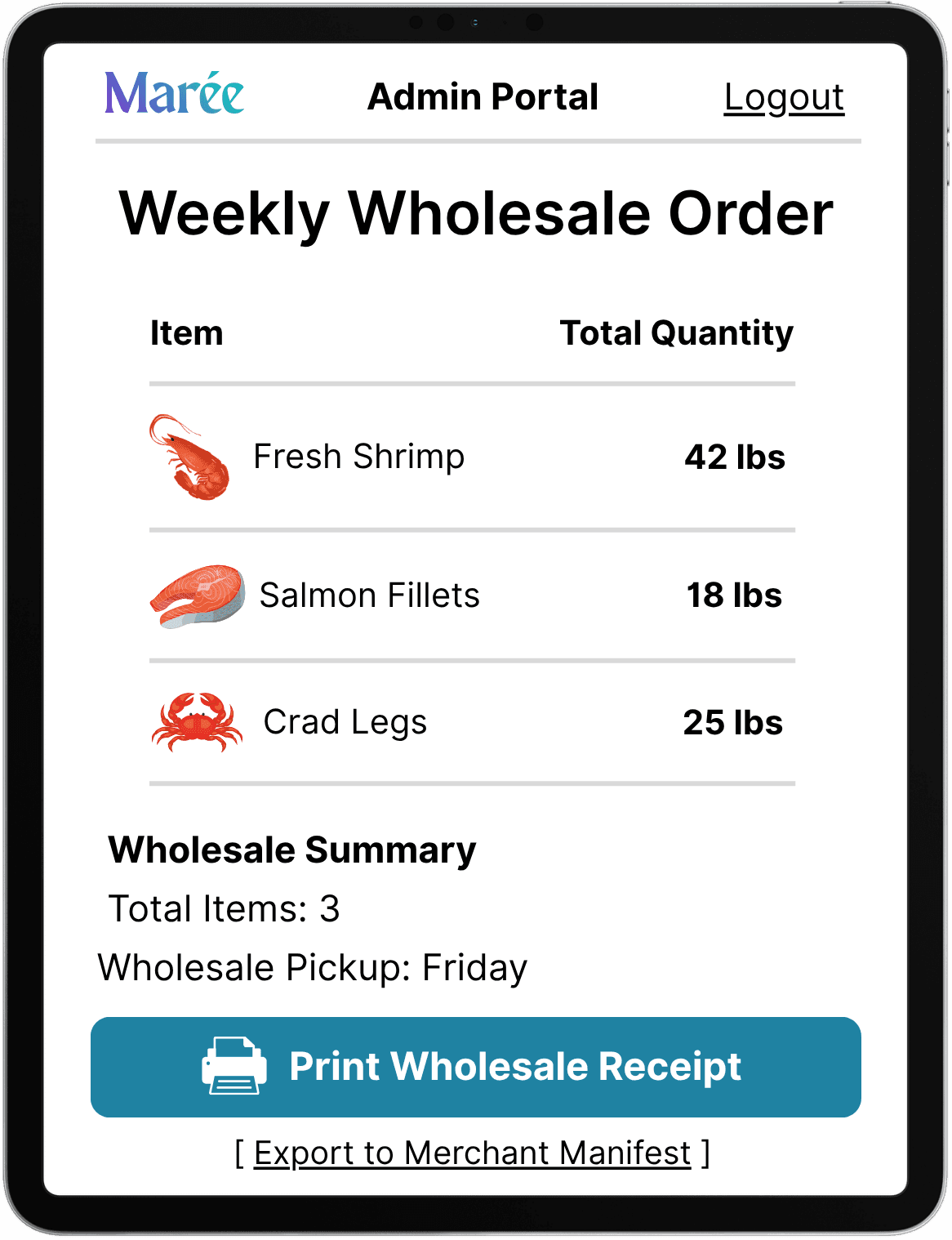
By designing around the owner's existing workflow while creating a confidence-building customer experience, the final solution supported both operational efficiency and a smoother transition to online ordering. Every design decision—from the weekly ordering cycle to the customer journey and admin portal—worked together to solve a real business problem while making the experience approachable for senior customers.
This project reinforced the importance of understanding business operations before designing the interface. By taking time to learn how the owner worked first, I was able to create a solution that supported both the business and the people using it.